Install MOSHKA in Safari on macOS
In Safari, use Share → Add to Dock, then enable push notifications.
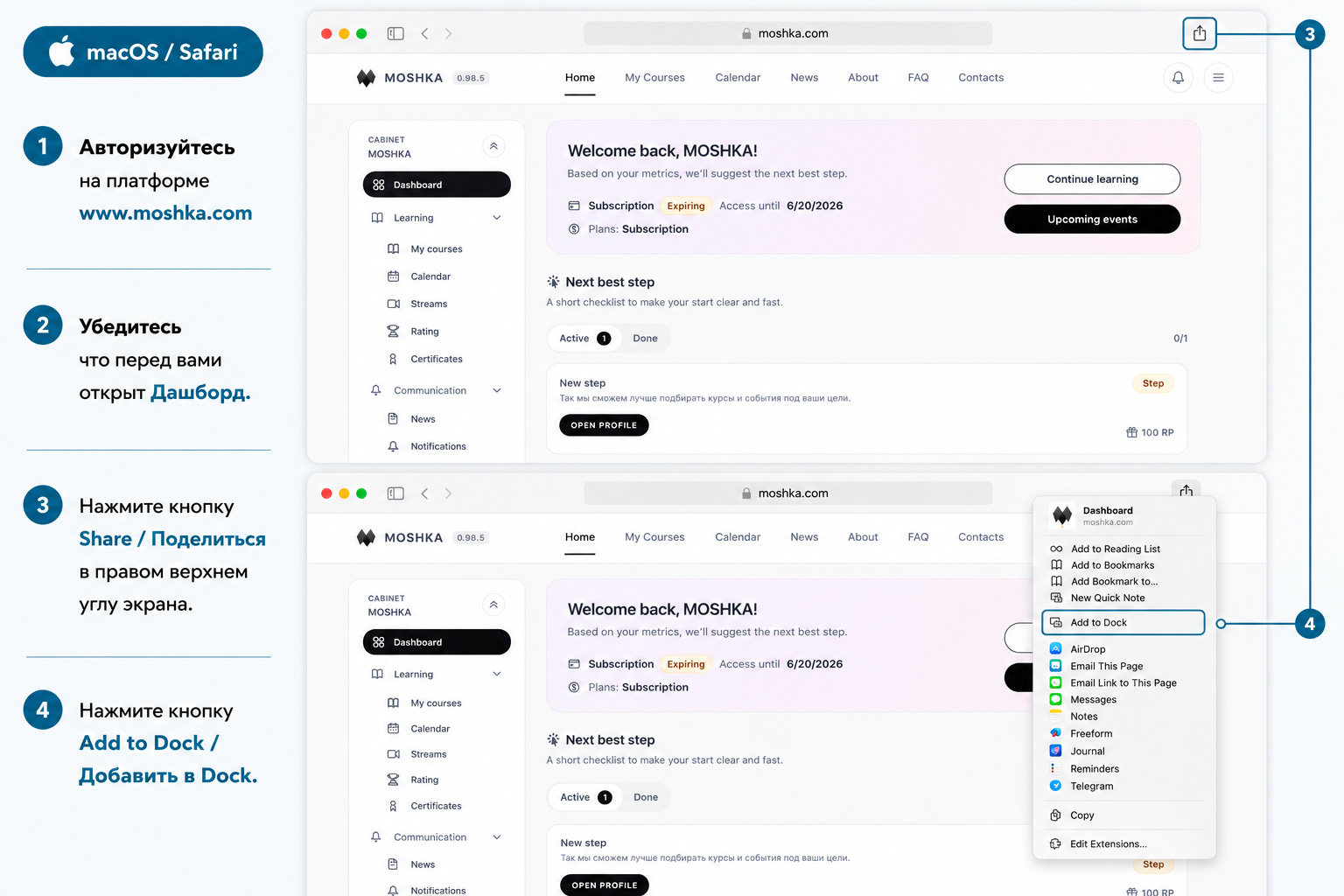
Open MOSHKA in Safari.
 Open image at full size
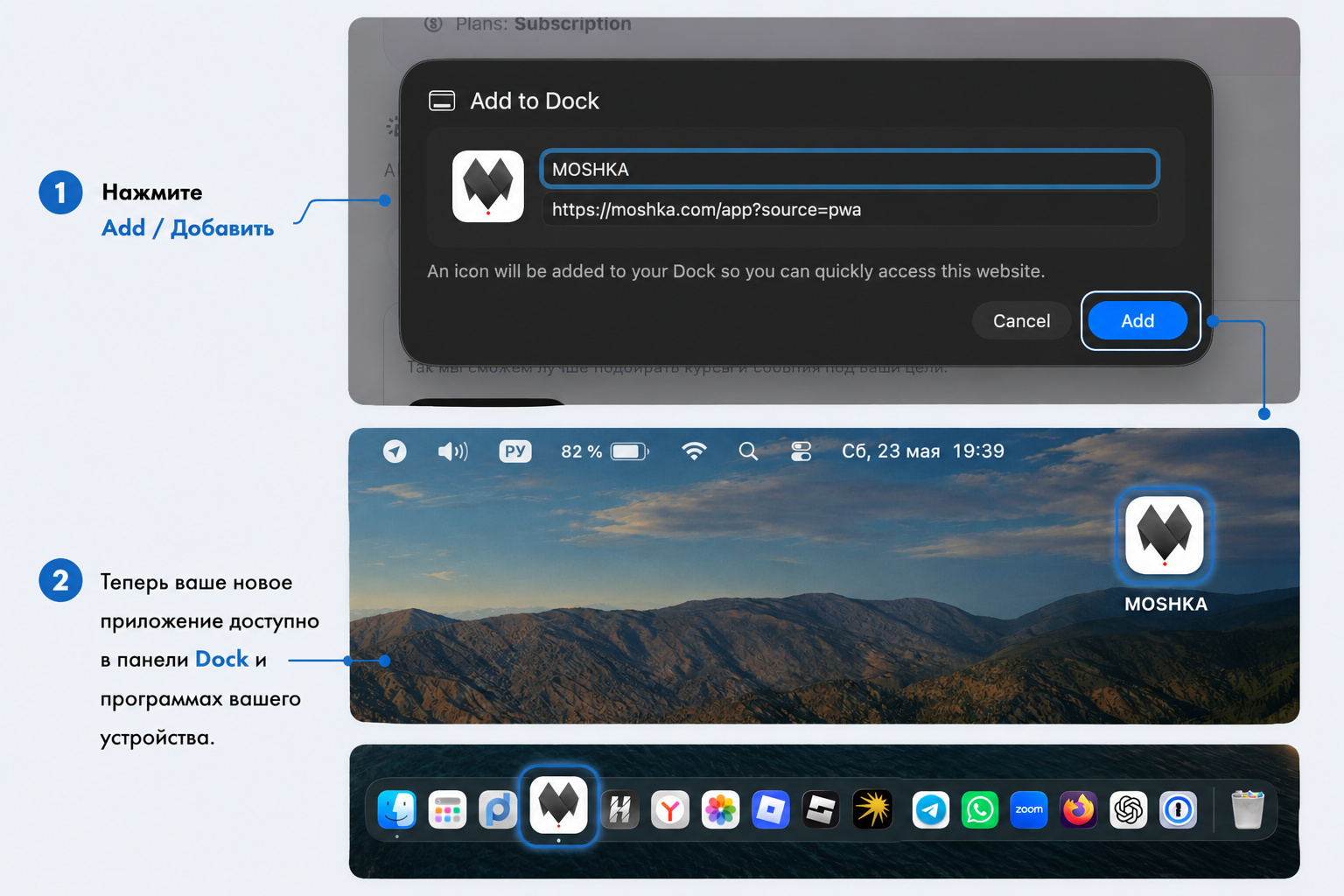
In the “File” menu choose “Share → Add to Dock” and confirm the addition.
 Open image at full size
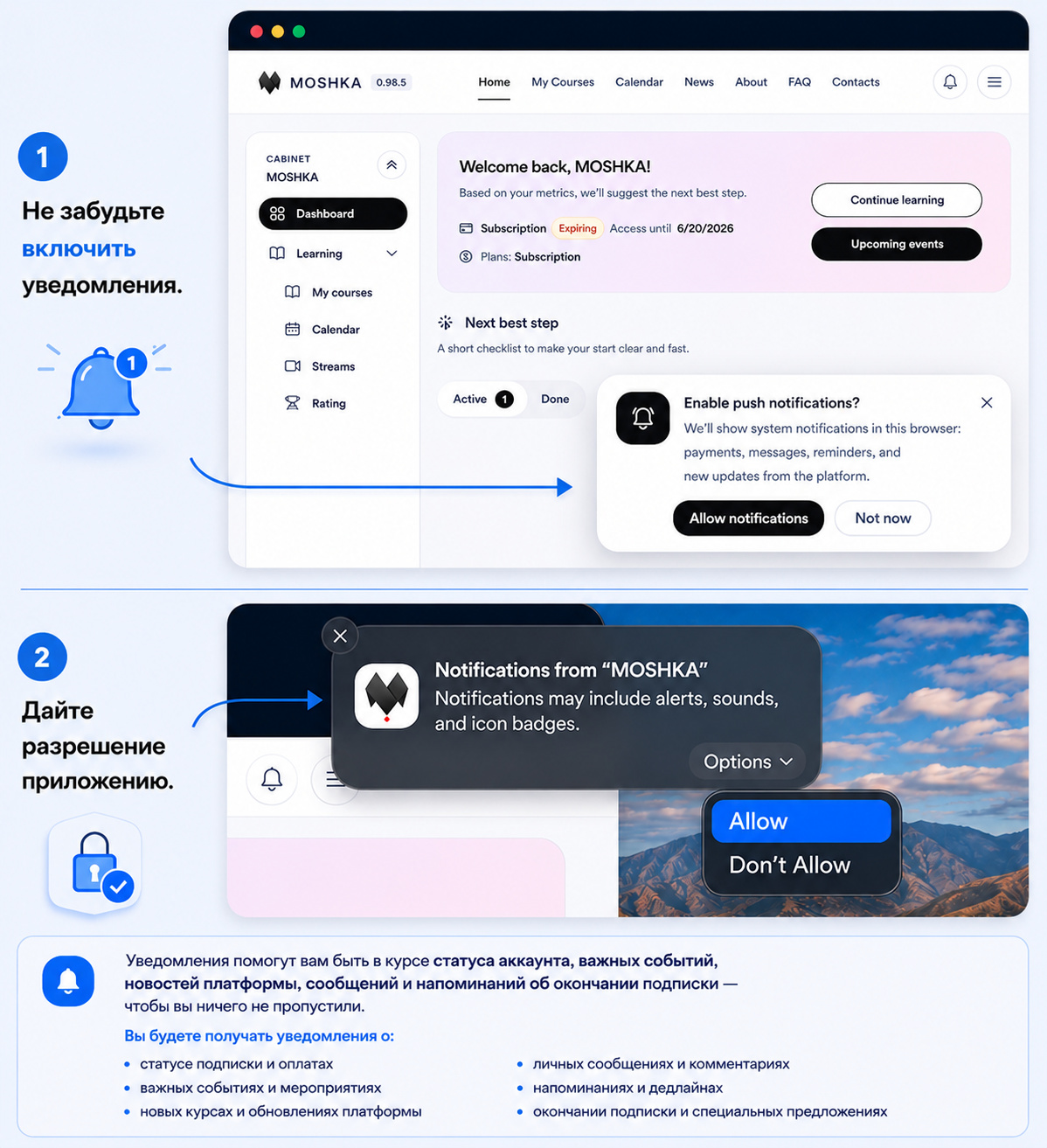
Open the app from the Dock and allow notifications.
 Open image at full size
Why is this important?
Notifications help you stay on top of payments, events, news, subscription reminders, and other important updates.