Install MOSHKA on iPhone
Follow the steps below to add MOSHKA to your Home Screen and enable push notifications.
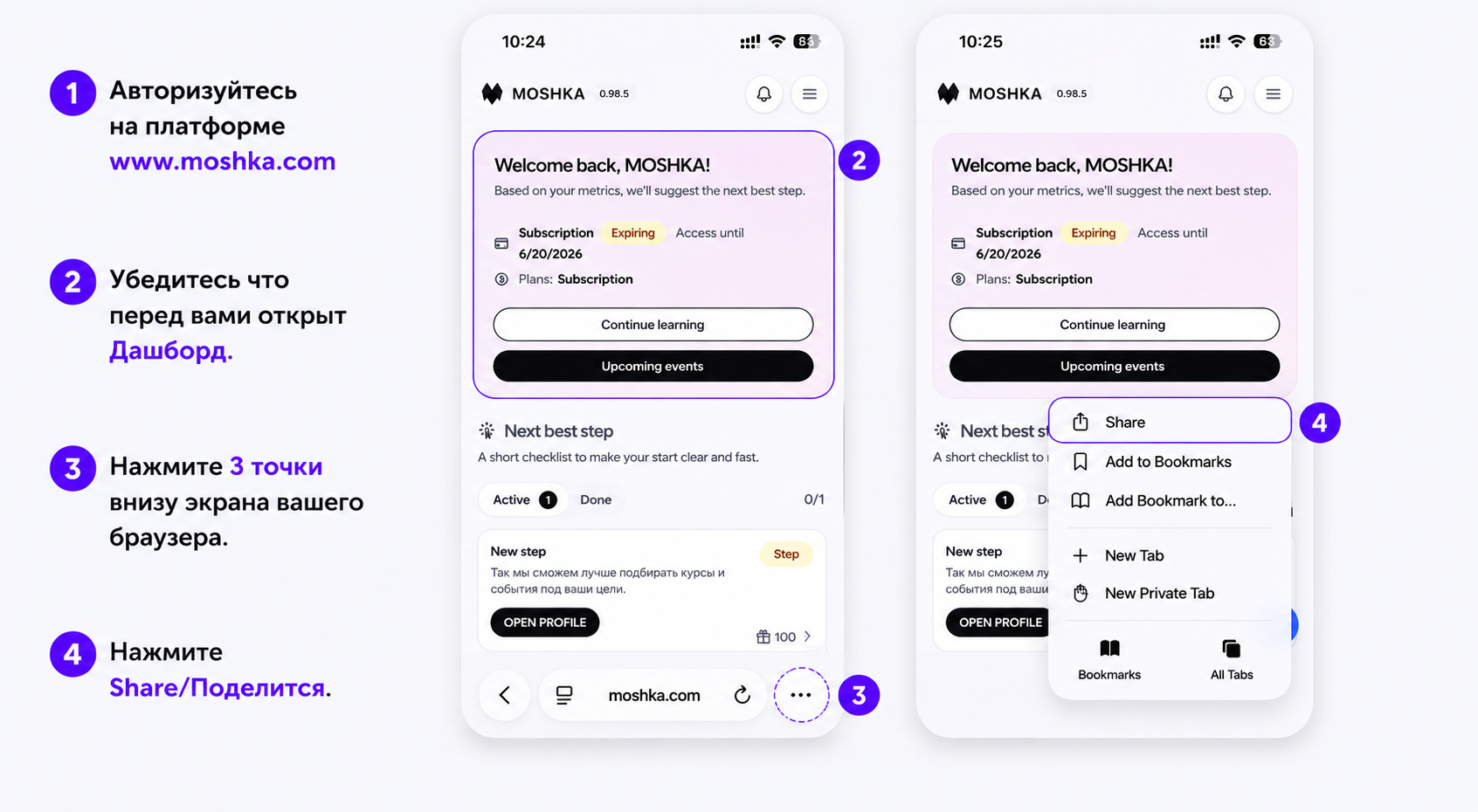
Open MOSHKA in Safari and sign in — the browser keeps the session for the installed app.
 Open image at full size
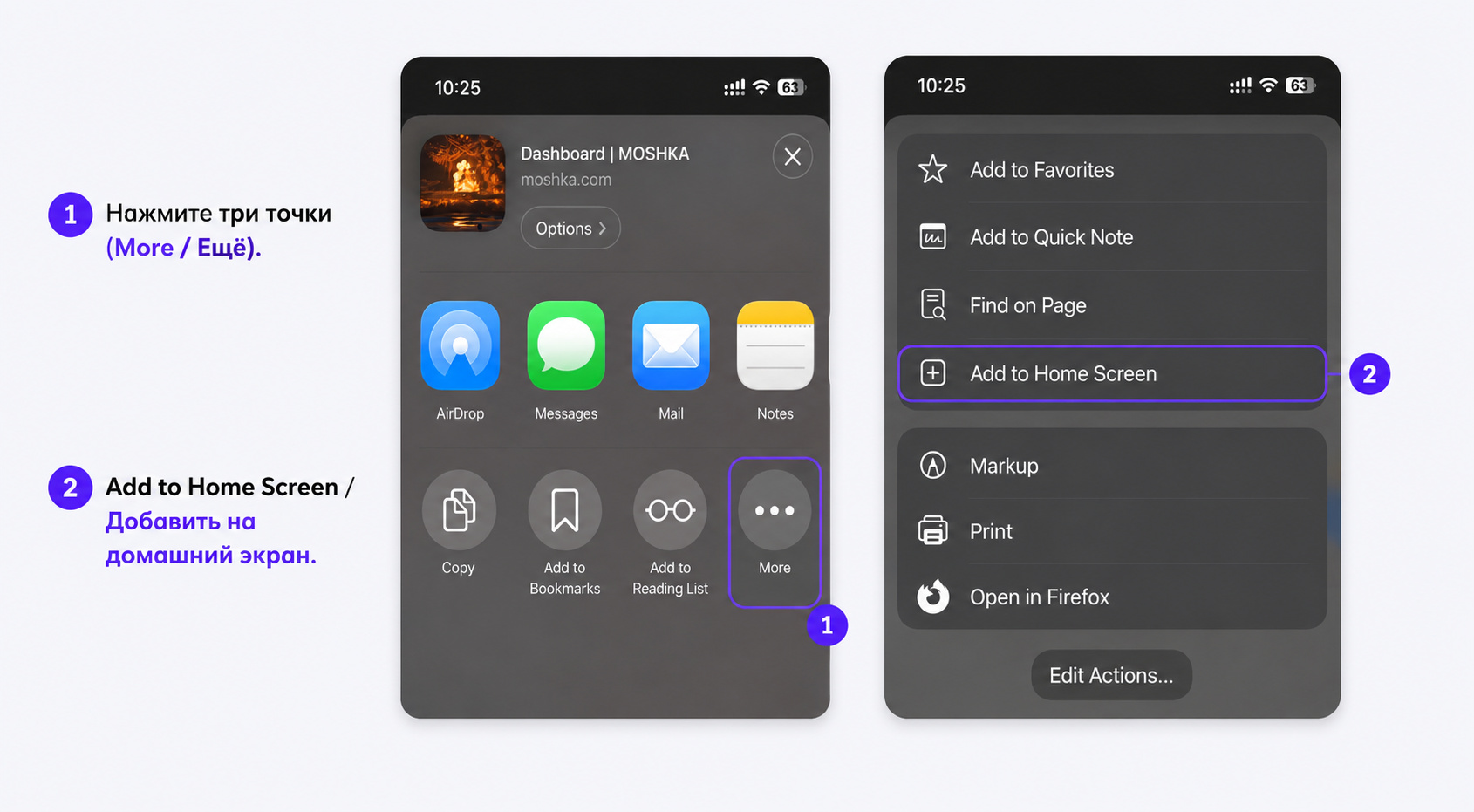
Tap Share (the square with an arrow) in the Safari toolbar, then choose “Add to Home Screen”.
 Open image at full size
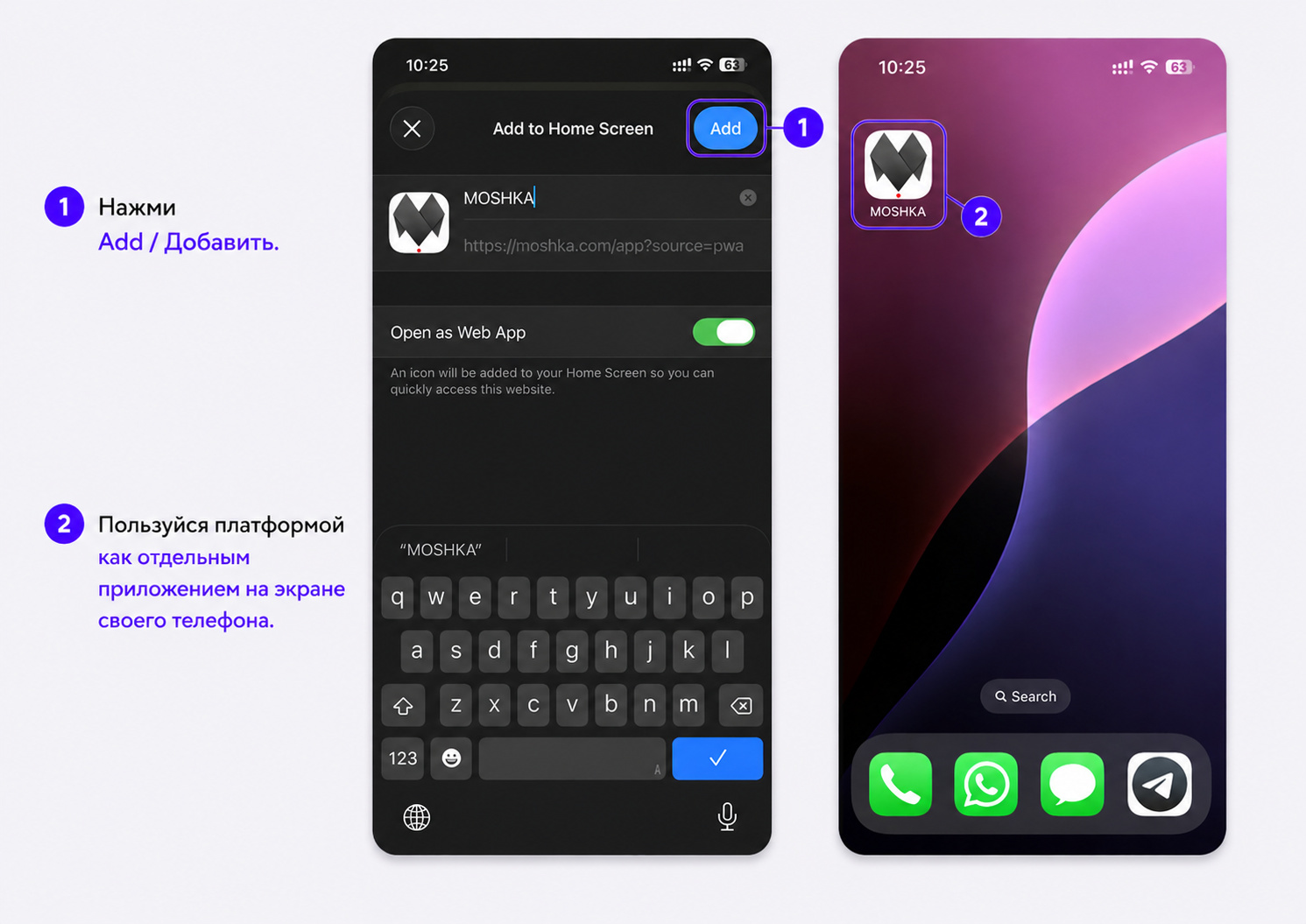
Check the name “MOSHKA” and tap “Add” — the icon appears on your Home Screen.
 Open image at full size
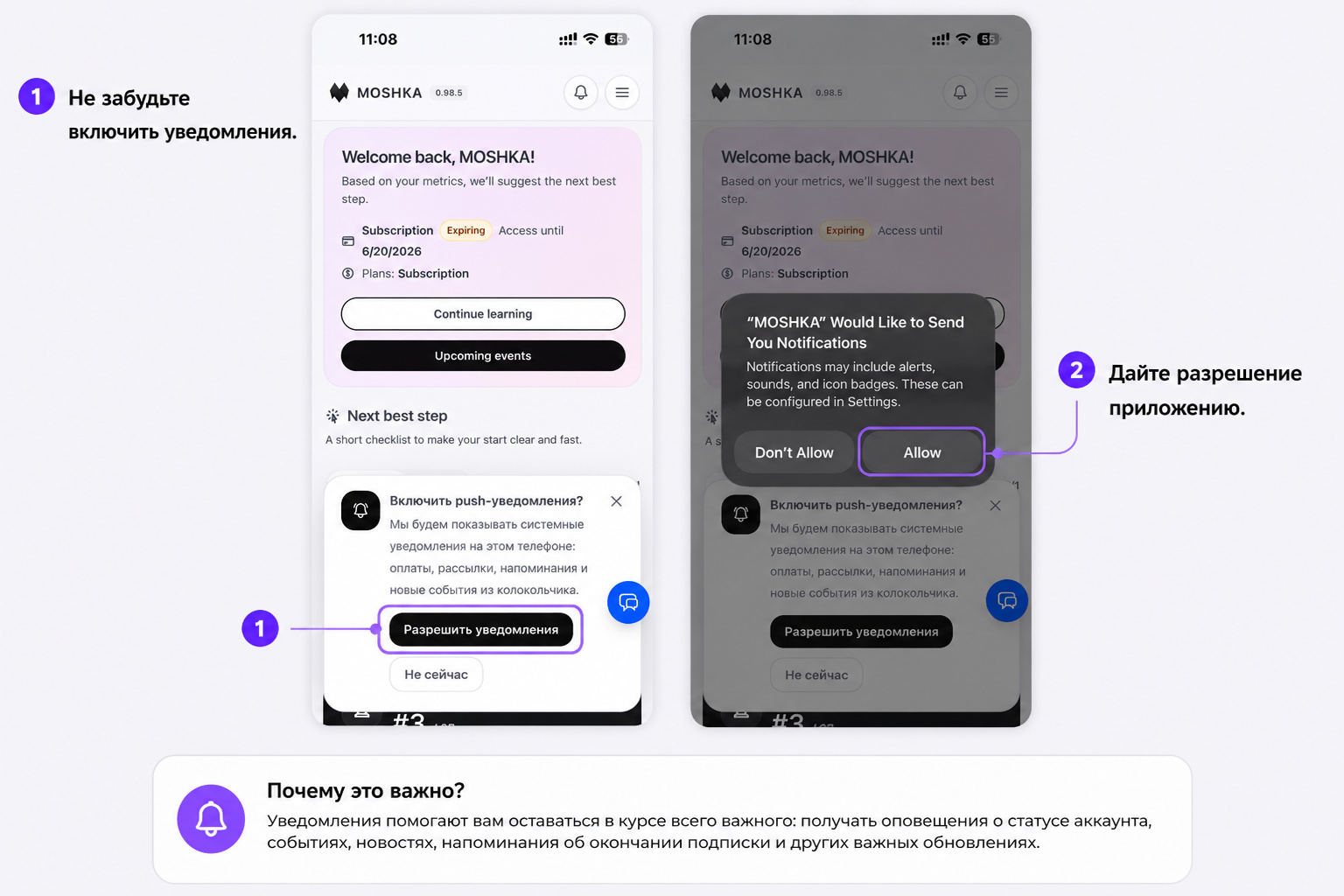
Open MOSHKA from the Home Screen and allow notifications to get payment and event reminders.
 Open image at full size
Why is this important?
Notifications help you stay on top of payments, events, news, subscription reminders, and other important updates.